Now please check your email inbox, we have already sent you the class link if you have requested to attend a class earlier.
The subject of the email: Zoom link for the 30 Min Free trial class | Melbourne PTE
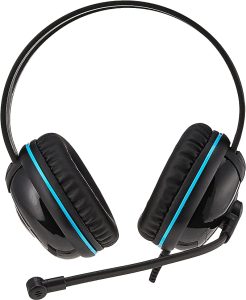
It’s better to use a good pair of headphones. We don’t recommend to use your mobile headset or any sort of Wireless/Bluetooth headphones because to check your speaking, you should use over-ear headphones. (see the picture)